License Activation key
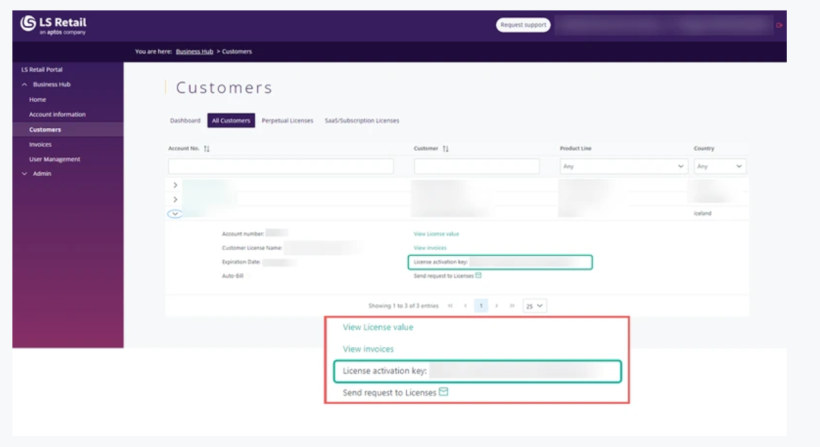
As license files (.flf and .bclicense) are not applicable in SaaS, LS Central license validation is changing from the license files to LS Retail License manager. As of LS Central version 23.1, the application will check if a license key has been activated. If not, the user will see a warning when opening some core LS Central pages stating that a LS Central license must be activated. To activate an LS Central license, you need to get hold of your activation key. The license activation key is visible for partners in the Business Hub/Customers page, see below:
Here you can find information on how to activate a license key in LS Central and how to assign.
License activation key is available on Business Hub, under each “Customers” account. License activation keys is only needed for versions 23.1 and newer, older versions do not need the license activation key.
We strongly recommend you to contact your company Business Hub Admin user to grant you permission to access customer account from where you can get the LS Central Key, if you dont know who your Business Hub Admin User is, you can contact Pops@lsretail.com.
License activation is a one-time procedure; the key needs to be activated for each LS Central company established within a particular environment.
You need to insert the license key provided by LS Retail in the License Key field and select the relevant Environment Type that you are setting up.
The License Key is generated per tenant ID (Microsoft Entry ID)
There are no restrictions on the number of companies which are available to be set up, and units visible are for the entire License key, not company or tenant specific.